RPG Portrait Gallery
Bearer Token
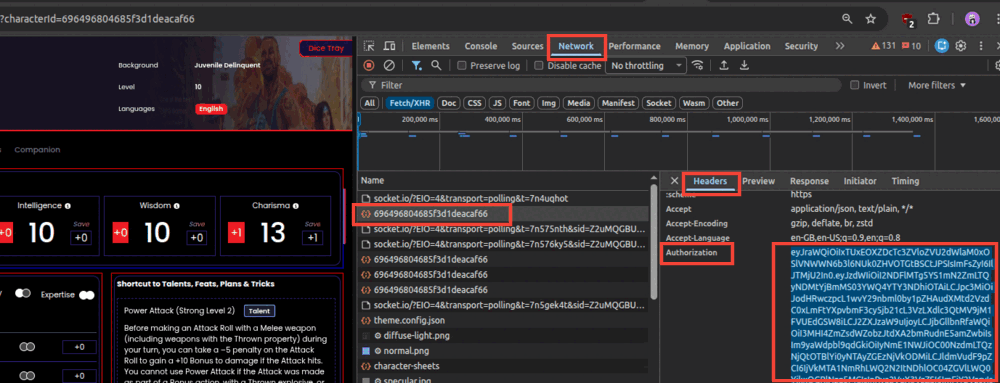
- Log in to the product in your browser.
- Press
F12to open DevTools, then click the Network tab. - Click anything on the page that loads data (e.g. characterId there).
- Find any API request in the list, click it, and open the Headers panel.
- Under Request Headers find
Authorization:and copy the value
🆔 Character ID
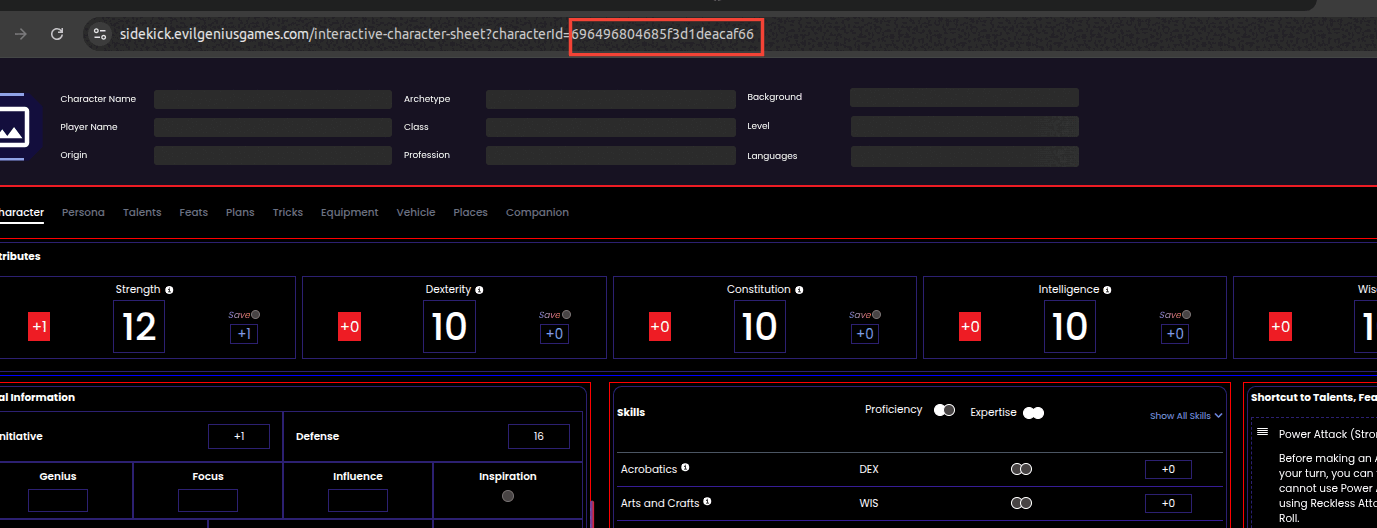
- Open the character sheet in the product.
- Look at the page URL — the Character ID is the long alphanumeric string in the path,
e.g.
…/characters/<character_id>.
Ready.